M5 MacBook Air vs. M5 MacBook Pro Buyer's Guide - MacRumors
Skip to Content

M5 MacBook Air vs. M5 MacBook Pro Buyer's Guide

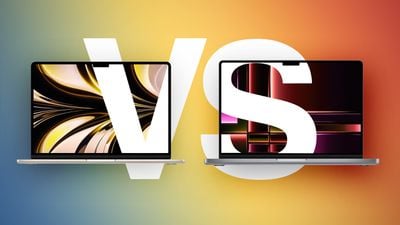
Both the MacBook Air and entry-level MacBook Pro now feature the M5 chip, so how do the latest models compare?
M2 MBA vs M2 MacBook Pro Buyers Guide Feature
While the 13-inch ‌MacBook Air‌ starts at $1,099 and the 15-inch model at $1,299, moving to the 14-inch ‌MacBook Pro‌ requires spending at least $300 more. For some buyers, the extra cost is unnecessary; for others, the Pro's ability to sustain performance, along with its more advanced display and expanded I/O, meaningfully change the experience in ways the Air cannot match even with higher configurations.

With the introduction of the MacBook Neo as a new entry-level option, the Mac lineup now spans three distinct tiers. As a result, the ‌MacBook Air‌ no longer represents the default choice for most buyers, but instead occupies a middle position between affordability and performance. If you've already ruled out the ‌MacBook Neo‌, this guide helps to answer the question of how to decide which of Apple's other two popular laptops is best for you. The key differences are as follows:

‌MacBook Air‌ ‌MacBook Pro‌
13.6- or 15.3-inch display 14.2-inch display
Slimmer borders around the display
LCD Liquid Retina display Mini-LED Liquid Retina XDR display
60Hz refresh rate ProMotion for refresh rates up to 120Hz
Up to 500 nits brightness Up to 1,000 nits brightness and 1,600 nits peak HDR brightness
Nano-texture display option
Passive cooling Active cooling
Two Thunderbolt 4 (USB-C) ports Three Thunderbolt 4 (USB-C) ports
HDMI 2.1 port with support for multichannel audio output
SDXC card slot
13-Inch: Four-speaker sound system
15-Inch: Six-speaker sound system with force-canceling woofers
High-fidelity six-speaker sound system with force-cancelling woofers
Three-mic array with directional beamforming Studio-quality three-mic array with high signal-to-noise ratio and directional beamforming
512GB, 1TB, or 2TB of storage 512GB, 1TB, 2TB, or 4TB storage
13-Inch: 53.8-watt-hour lithium-polymer battery
15-Inch: 66.5-watt-hour lithium-polymer battery
14-Inch: 72.4-watt-hour lithium-polymer battery
18-hour battery life 24-hour battery life
30W, 35W, or 70W USB-C Power Adapter 70W or 96W USB-C Power Adapter
Silver, Sky Blue, Starlight, or Midnight color options Silver or Space Black color options
13-Inch: Starts at $1,099
15-Inch: Starts at $1,299
Starts at $1,599

Dimensions are also a key area of difference between the ‌MacBook Air‌ and ‌MacBook Pro‌. The ‌MacBook Pro‌ is noticeably thicker and heavier than both ‌MacBook Air‌ models:

‌MacBook Air‌ (13-Inch) ‌MacBook Air‌ (15-Inch) ‌MacBook Pro‌ (14-Inch)
Height 0.44 inches (1.13 cm) 0.45 inch (1.15 cm) 0.61 inches (1.55 cm)
Width 11.97 inches (30.41 cm) 13.40 inches (34.04 cm) 12.31 inches (31.26 cm)
Depth 8.46 inches (21.5 cm) 9.35 inches (23.76 cm) 8.71 inches (22.12 cm)
Weight 2.7 pounds (1.24 kg) 3.3 pounds (1.51 kg) 3.4 pounds (1.55 kg)

Taken as a whole, the ‌MacBook Air‌ now occupies a more clearly defined middle position in Apple's laptop lineup. With the introduction of the ‌MacBook Neo‌ as a lower-cost entry point, the Air no longer represents the default choice for most buyers, but instead serves those who want a meaningful step up in performance, features, and long-term usability without moving into the ‌MacBook Pro‌ tier.

The ‌MacBook Air‌ offers excellent performance with the M5 chip, capable memory and storage options, a good all-round display, and key features like a backlit keyboard, 18 hours of battery life, and a 12MP Center Stage camera. For everyday tasks, performance remains effectively indistinguishable from more expensive models, but the Air is far less likely to feel constrained after several years of use compared to the ‌MacBook Neo‌. Its thinner chassis, lower weight, silent fanless design, and broader range of color options also remain important advantages.

By contrast, the 14-inch ‌MacBook Pro‌ is differentiated less by baseline performance and more by its ability to sustain it, as well as by a collection of hardware features that materially change the experience. Active cooling allows the M5 chip to operate at higher levels for prolonged periods, avoiding the thermal limitations inherent to the Air's passive design. This becomes noticeable in extended workloads such as video editing, 3D rendering, compiling large codebases, or running intensive AI-driven tasks. If your workload regularly involves sustained performance, such as long video exports, large code builds, or intensive multitasking, the ‌MacBook Air‌'s fanless design may become a limiting factor.

Alongside this, ‌MacBook Pro‌'s mini-LED Liquid Retina XDR display with ProMotion offers substantially higher brightness, contrast, and motion fluidity, while the inclusion of HDMI, SDXC, and an additional Thunderbolt port expands its versatility in professional environments. It also delivers consistently better speakers, higher-quality microphones, and longer battery life. For users planning to keep their machine for several years, this sustained performance headroom and broader feature set can make the ‌MacBook Pro‌ a more resilient long-term investment.

The most consequential trade-off emerges at the upper end of the ‌MacBook Air‌'s pricing. At $1,299, the 15-inch ‌MacBook Air‌ sits close enough to the 14-inch ‌MacBook Pro‌'s $1,599 starting price that the decision becomes less about affordability and more about priorities. For an additional $300, the Pro offers a significantly more advanced display, active cooling for sustained performance, longer battery life, additional I/O, and overall greater versatility. Once you are already considering spending over $1,000 on a laptop, these advantages become disproportionately impactful, particularly for users intending to keep their machine for several years.

As a result, the ‌MacBook Air‌ is best understood as the balanced option within the lineup: Meaningfully more capable and longer-lasting than the ‌MacBook Neo‌, but somewhat constrained compared to the ‌MacBook Pro‌. The right choice depends less on basic specifications and more on where your needs sit across three distinct tiers, with basic computing at the low end, sustained performance and advanced features at the high end, and the ‌MacBook Air‌ positioned squarely between them.

Related Roundups: MacBook Pro, MacBook Air
Related Forums: MacBook Pro, MacBook Air

Popular Stories

iPhone 18 Pro Deep Red Feature

iPhone 18 Pro Launching Later This Year With These 12 New Features

Wednesday March 18, 2026 7:39 am PDT by
While the iPhone 18 Pro and iPhone 18 Pro Max are not expected to launch for another six months or so, there are already plenty of rumors about the devices. It was initially reported that the iPhone 18 Pro models would have fully under-screen Face ID, with only a front camera visible in the top-left corner of the screen. However, the latest rumors indicate that only one Face ID component...
ios 26 4 yellow

Here Are Apple's Release Notes for iOS 26.4

Wednesday March 18, 2026 11:56 am PDT by
Apple provided developers and public beta testers with the release candidate versions of iOS 26.4 and iPadOS 26.4, which means we're going to see a public launch as soon as next week. The RC versions of the software include Apple's official release notes, giving us final details on what's included in the update. Apple Music - Playlist Playground (beta) generates a playlist from your...
imac video apple feature

Apple Released Yet Another New Product Today

Friday March 20, 2026 2:39 pm PDT by
Apple has unveiled a whopping nine new products so far this March, including an iPhone 17e, iPad Air models with the M4 chip, MacBook Air models with the M5 chip, MacBook Pro models with M5 Pro and M5 Max chips, the all-new MacBook Neo, an updated Studio Display, a higher-end Studio Display XDR, AirPods Max 2, and Nike Powerbeats Pro 2. iPhone 17e features the same overall design as the...

Top Rated Comments

nikhsub1 Avatar
1 day ago at 09:32 am
I'll keep saying it, the macbook air is the best laptop apple makes, promotion less screen be damned! The passive cooling (no fans) is a much bigger deal (in a good way) than people think. It is just an amazing machine.
Score: 14 Votes (Like | Disagree)
boswald Avatar
1 day ago at 09:48 am
I went over the differences between the Air and the Pro, and while the Pro has some nice upgrades, I wouldn't need most of them. I'm happy with my 15" Air.
Score: 11 Votes (Like | Disagree)
1 day ago at 09:28 am
I wanted a bigger screen than the 14" and the upgrade to the 16 inch is A LOT considering I don't need that power. So thats why I went with the 15" Air. If there was a 15 or 16" MacBook Pro base edition, I'd probably go there.
Score: 9 Votes (Like | Disagree)
19 hours ago at 02:23 pm
Here is my opinion on this discussion.

I went from a MacBook Pro 16 M1 Pro to a MacBook Air 15 M4 in April 2025. The difference in weight was dramatic. The difference in screen real estate almost imperceptible, screen quality noticeable as well as sound quality. At the time there was no nano screen option. When Apple released it I tried until now to find one to see live. The Air performance was very good in general tasks (I don't do video or photo editing) and the passive cooling was never an issue. I used the machine almost exclusively in low power mode, even connected through mains.

Then I updated to Tahoe and Microsoft Teams started giving me some issues with cursor movement lag when sharing screen with an iPad attached. Switching off low power mode solved the issue, but I had to scratch the itch that I was feeling with the nano screen option. My 50 yo eyes really need some help even with glasses.

Unfortunately I could never see a nano screen display in person. The Air is a fantastic machine with a major flaw for someone who loves to work with multiple screens: no ports on the right side. Coincidently that's where I like my secondary monitor to be. No major issue, just get a longer cable, right? Well, sorta.

So I pulled the trigger even knowing the OLED and touch might be there in 7-8 months time. But then again so will the price hike, and I am one of the "older vision" guys who think touch is not needed at all (the screen has enough dirt as it is). So I configured a 14 MacBook Pro 14 with nano screen. Bought 11 march, received 18 march.
Here is my vision:
- The screen is just phenomenal, whoa! I don't miss the added real estate of the 15 air since I almost always use it with an external portable monitor. The text seems to me better to read and much easier on my eyes on the Pro than it ever did on the Air
- the weight is almost the same as the 15 Air, but it feels sturdier. The Air was not wobbly, but sometimes on a table it just feels not so solid
- the M5 Pro 18/20c on low power mode Geekbench benchmarks are 2700/12600. The Air was 1800/6300. It is noticeable in Teams. The SSD on the Air was crippled to 3GB/s, this one has 12GB/s, not so visible in day to day tasks, but surely on Time Machine
- the keyboard on the Pro seems nicer to type on. Maybe it's placebo, but that's how I feel. It has a nicer feeling to it
- the Air sound is average, even in 15" form. I don't give it much importance since on the workplace one has phones to listen to music anyway
- the M5 Pro processor runs cooler. Writing this with several tabs open and background tasks it is at 29/30ºC. The Air was around 35/36ºC with equivalent workload. I haven't heard the fans yet, even after software updates, time machine migration and even some coding in Xcode and Python AI with VSC
- Overall the sensations of using the machine are more "premium" and even if I just went for a base version versus the maxed out Air 15 I owned (32GB) still would prefer the Pro for the screen alone. I could not anticipate just how much the nano texture screen is a life saver even indoors with artificial light. Since the footprint is smaller it fits on a smaller bag than the 15, although the weight is the same. Carrying to a meeting or class is just easier. Even when using single monitor if not placing side by side with two apps I don't miss the screen size of the 15. Some apps were difficult to work on side by side even on the 15 such as Excel anyway.

Yes the Pro is more expensive. Yes, some people will argue the Air is better for them. That's why they both exist. If you have the chance to try them before buying, especially if you can see the nano screen in person, you will know which one is for you. There is no confusion, just maybe some lack of information to decide.
Score: 6 Votes (Like | Disagree)
mcilwraith Avatar
23 hours ago at 10:42 am
I have the M1 Pro MBP. 5 years old now but still a beast. I don’t need it but I love it. It’s a luxury. Great screen, great speakers, plenty of ram, tons of storage. Plenty of ports. Will last me maybe 10 years. So much headroom.
Score: 5 Votes (Like | Disagree)
iLondoner Avatar
23 hours ago at 10:17 am
So many errors in this article, it needs to be withdrawn and checked. Including the fact that the 15-in Air supports up to 4TB of storage, something that makes it a viable alternate when replacing my 16-in MacBook Pro. Won't bother to read any further.
Score: 5 Votes (Like | Disagree)